

Key topics
Related public pages
If you need the product, API or operations page rather than only the article, start with these VPOS.am sections.
A QR code is an entry point, not the payment system
Behind the QR code there should be a payment intent, amount, purpose, target and final status rule.
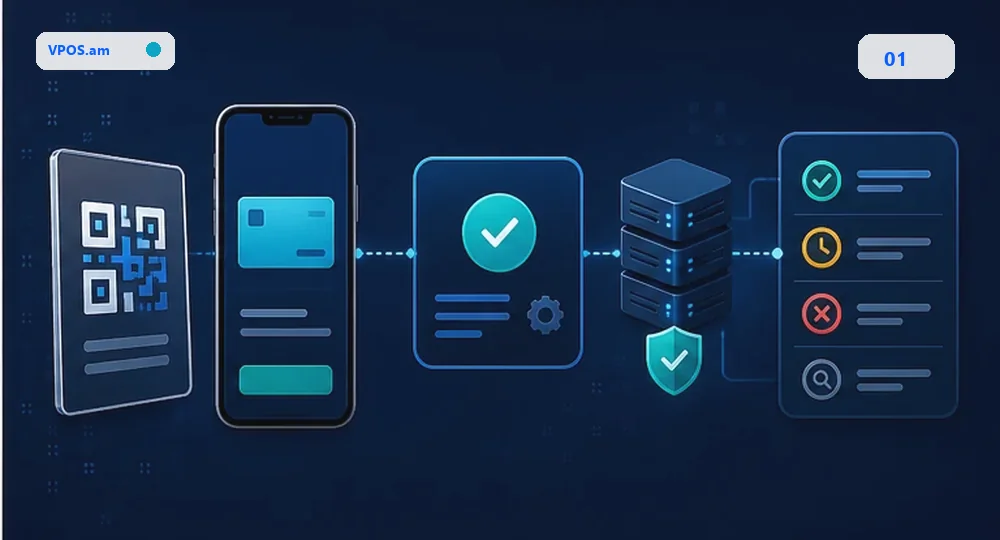
In restaurants, delivery, services or events, a QR code is often treated as a quick way to show a payment page. Technically it should be treated like website checkout: the system needs to know who receives the payment, what it is for, which currency is used and how the business receives final status.
If the QR code only opens a static page without a managed payment intent, staff will search payments manually by amount, time and customer message. That breaks down when there are several branches, shifts, couriers, tips or repeated attempts.
- QR should open a managed payment intent or payment page;
- purpose, amount and target should be saved by backend;
- final status should arrive server-side, not only on customer screen;
- support needs a reference that can be found in CRM or logs.
Which statuses staff need
Cashier, manager or support needs a simple answer: paid, pending, failed or manual review.
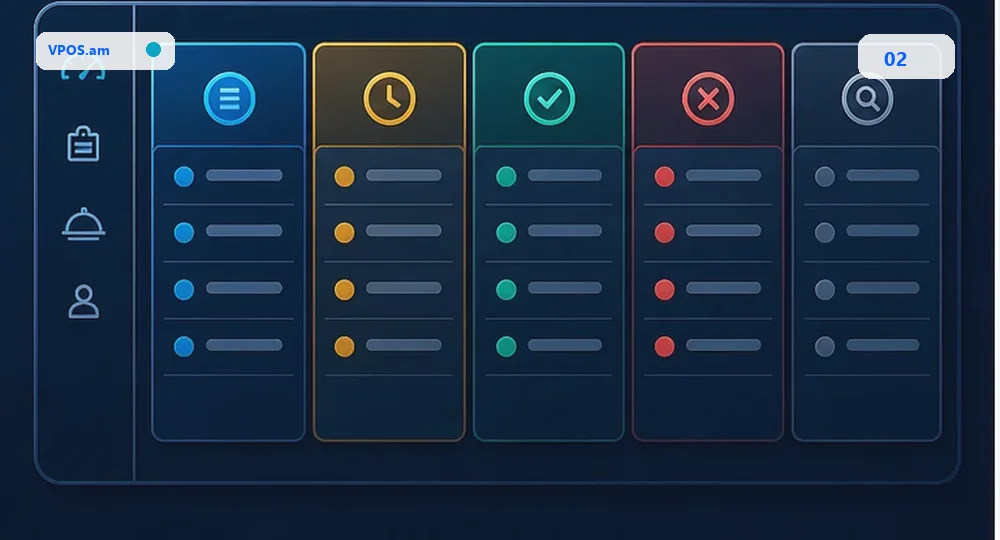
Offline teams should not read raw provider statuses. They need normalized states: payment created, pending, paid, failed, expired or manual review. Pending and paid must be separate because a customer may return to the page before backend has final confirmation.
For delivery and services it is useful to link payment with order, courier, table, branch, staff member or invoice. Then a disputed payment can be restored from context instead of messenger screenshots.
- do not deliver service only from a customer screenshot;
- show staff last checked time and provider reference;
- separate order payment, tips and donations;
- record manual confirmation with responsible operator.
How to close the day for QR payments
QR payments should enter the same reconciliation flow as website, CRM invoices and mobile payments.
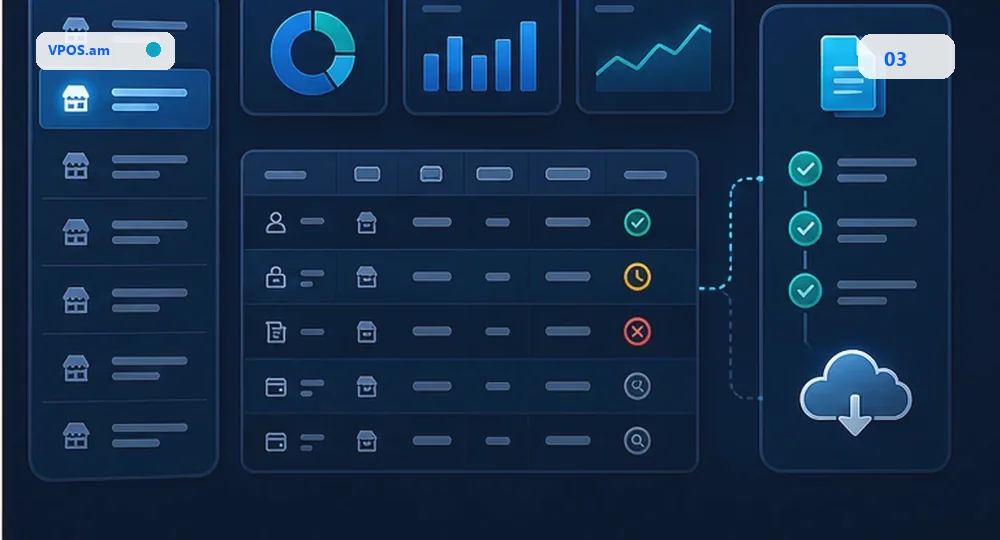
When QR payments are outside daily reconciliation, they become a separate manual channel. Accounting sees money at the provider or bank, CRM sees an order, and operations may not know which payments are closed.
A practical model: each QR payment has merchant id, branch id, target id, amount, currency, provider reference, final status and timestamp. Exact matches close automatically; mismatches become an exception list.
- reconcile QR payments together with other channels;
- store branch, staff, order or purpose;
- separate tips, donations and invoice payments;
- create an exception list for manual review.
FAQ
Can one QR code be used for all payments?
Yes for simple flows, but backend should create or resolve a payment intent with purpose, amount and target. Otherwise reconciliation becomes manual.
Is a customer screenshot enough to confirm payment?
No. A screenshot helps communication, but the business status should be confirmed by server-side status, webhook or provider check.
How should QR tips be tracked?
Tips should be separated from order payment: store recipient, branch, amount, fee, payout status and relation to source payment when applicable.