

Key topics
Related public pages
If you need the product, API or operations page rather than only the article, start with these VPOS.am sections.
Payment request should be connected with registration
Payment without attendee id and ticket type does not help the team understand who paid and what access was granted.
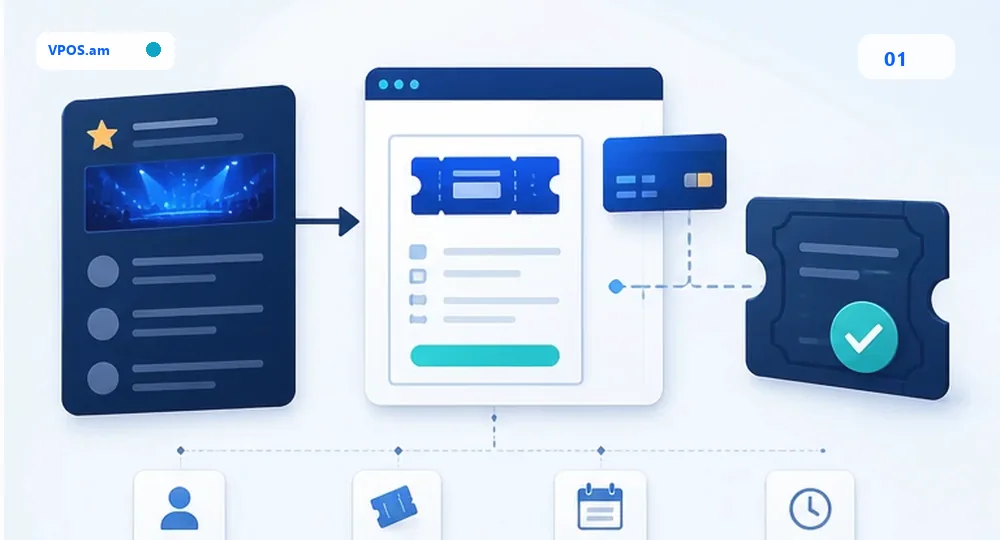
For conference, seminar, workshop or private event, payment starts before the person reaches the venue. System should know event, ticket type, attendee, capacity, amount, currency, link expiration and CRM reference before redirecting to payment.
If payment link is sent without registration context, support will reconcile names, screenshots and bank lines manually. Safer model creates payment request from backend or CRM and moves registration to paid only after server-side verification.
- create payment request from registration id;
- fix ticket type, event id and attendee id;
- do not confirm entry from payment screenshot;
- separate pending, paid, expired, cancelled and manual review.
Capacity, waitlist and expiration should be rules
Ticket sales break when several customers pay for one limited capacity or an old link remains active.
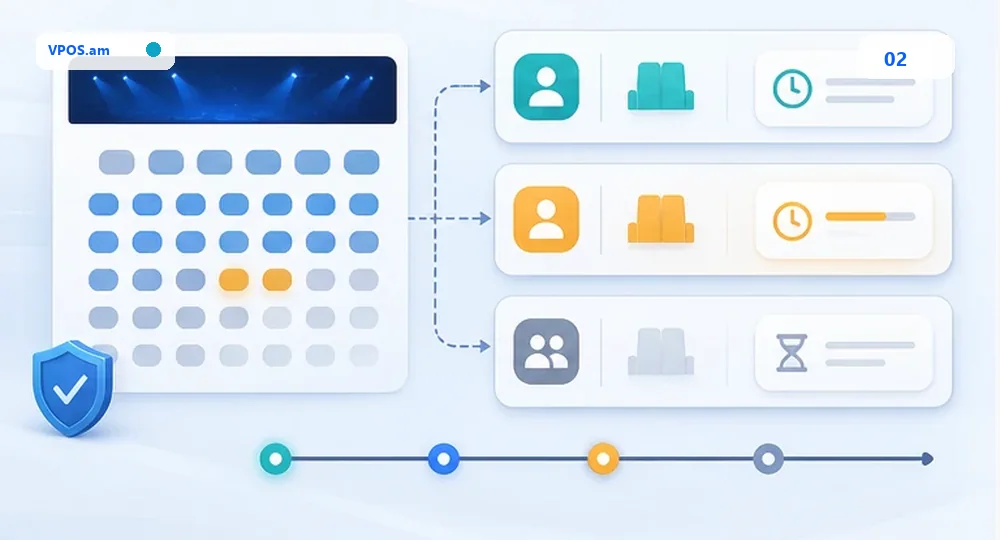
For events, limits are critical: venue capacity, ticket tiers, VIP seats, groups, promo codes and waitlist. Payment layer should not promise a place if capacity has changed or link has expired. A repeat server-side check is needed before confirmation.
Practical flow: reservation has time-to-live, payment request expires with it, and webhook or status lookup confirms registration only if capacity rule still passes. Otherwise record moves to manual review or refund workflow.
- synchronize payment expiration and seat reservation;
- do not keep unlimited active links for limited ticket tier;
- check capacity before paid confirmation;
- store reason for waitlist and manual review.
Refund, check-in and reconciliation should share one timeline
After payment, there can be transfers, cancellations, partial refunds and venue entry events that must not disappear from payment history.
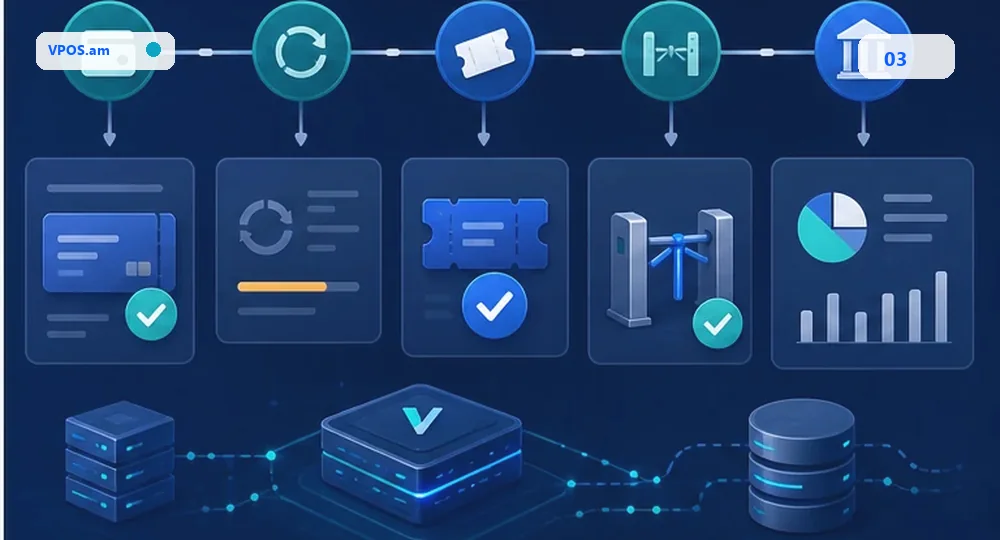
Events often change after payment: attendee asks for refund, name replacement, ticket tier change or manual list entry. If check-in and refund live separately from payment, team loses context and closes the day manually.
A single timeline shows registration status, payment status, ticket status, refund request, entry event and provider reference. This lets the team reconcile sold tickets, actual entries, refunds and exceptions without rebuilding spreadsheets before report.
- refund should not delete ticket history;
- attendee change needs actor, reason and timestamp;
- check-in status is not payment status;
- reconcile tickets sold, entries, refunds and provider report.
FAQ
Can ticket be confirmed after return URL?
It is safer to confirm ticket after webhook or server-side status lookup. Return URL can open before final payment event.
How to prevent selling above capacity?
Connect payment request with reservation, set expiration and re-check capacity before final paid confirmation.
What should happen during ticket refund?
Create a separate refund event with reason, actor, amount and provider reference. Registration and payment history should not be deleted.