
Key topics
Related public pages
If you need the product, API or operations page rather than only the article, start with these VPOS.am sections.
CRM should not be the payment provider
Bitrix24, amoCRM or Kommo are useful for managers, but final payment state should come from server-side verification.
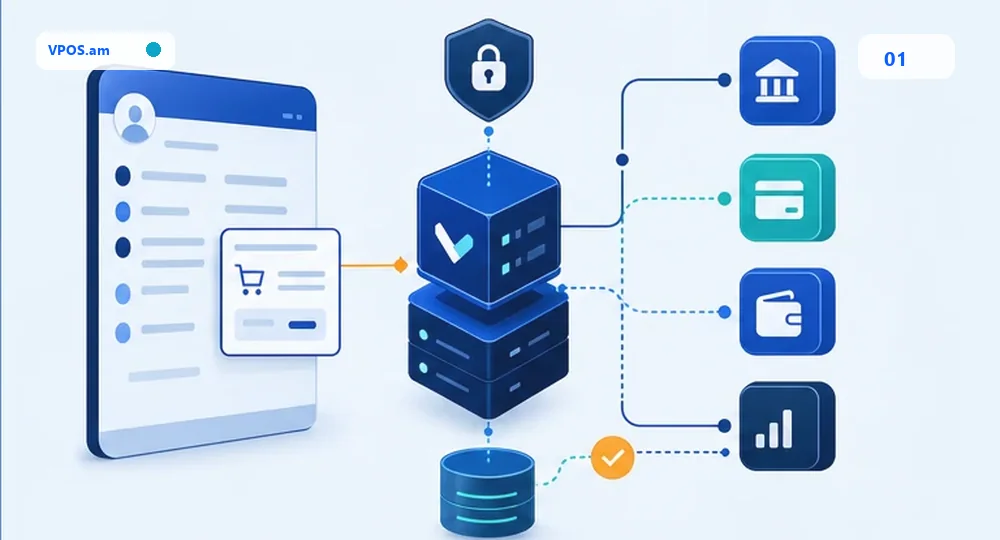
A common mistake is treating CRM as the source of truth for payment. A manager creates a deal, sends a link and the customer starts checkout, but the final state must be confirmed by backend: trusted webhook, provider reference and status verification.
CRM stores business context: deal, invoice, customer, manager, comments and tasks. The payment layer stores attempt, status, amount, currency, timestamp, request id and technical history. Support sees one picture, while accounting gets data that can be reconciled.
- do not update a deal only from customer redirect;
- store provider reference next to CRM invoice or deal id;
- separate created, pending, paid, failed, expired and refunded;
- log each payment link resend by manager.
How to design deal and invoice statuses
CRM statuses should help managers act, not mirror every low-level provider state.
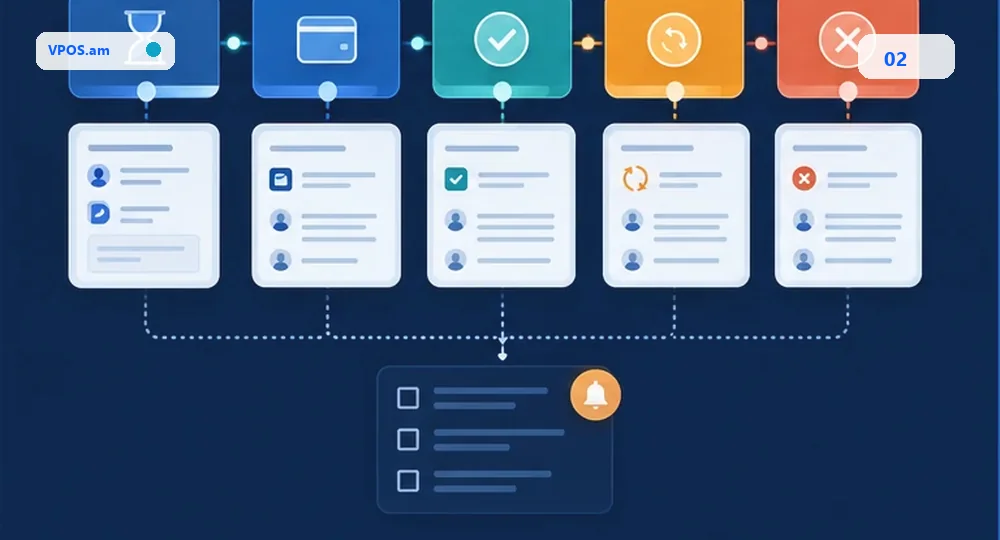
For CRM, a normalized status list is usually more useful: awaiting payment, paid, payment failed, expired, manual review, partial refund and full refund. Backend can keep more technical details internally, while managers get a short action-oriented list.
Transition rules matter. Failed should not close an invoice forever if the customer can retry. Pending should not release goods or services. Refunded should not erase payment history from the deal.
- connect payment attempt to a specific invoice or deal;
- create manager tasks only for exceptions;
- do not overwrite paid with an old webhook;
- show paidAt, amount, currency and provider reference.
What to handle in webhooks and retries
CRM APIs can be delayed or rate limited, so payment sync must be idempotent and retryable.
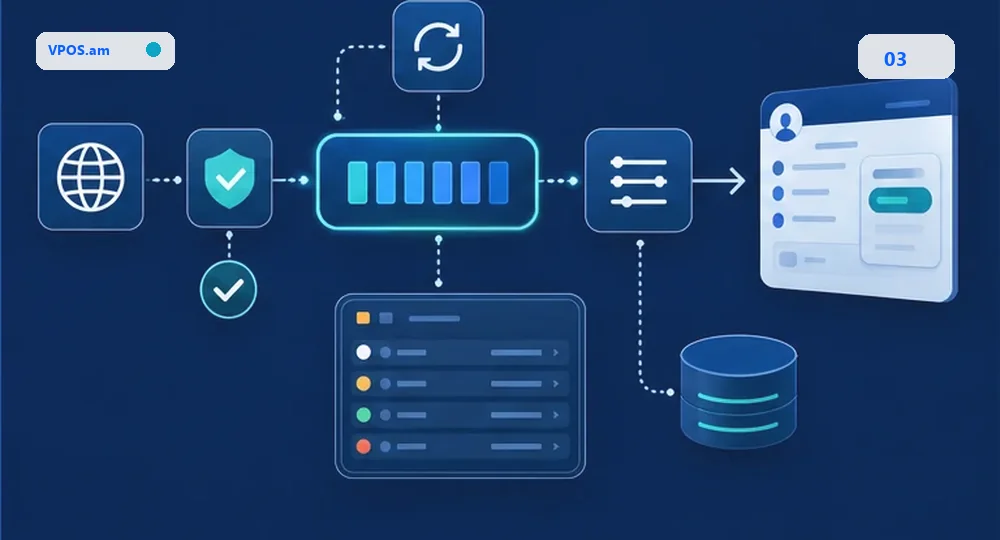
A provider webhook can arrive more than once, arrive before the redirect or arrive while the CRM API is temporarily unavailable. The handler should verify the event, store it, apply an idempotency key and update CRM through a controlled queue.
If the CRM update fails, the payment must not disappear. Keep the internal paid status, log the sync error, retry the operation and show an exception to the operator only after repeated failures.
- verify signature or server-side provider status;
- make CRM update idempotent;
- retry temporary API errors;
- keep audit trail for manual fixes.
FAQ
Can CRM be updated immediately after the customer reaches the success page?
No. Success page is useful for the customer, but CRM should be updated after server-side payment verification or a trusted webhook. Redirect can be closed, repeated or opened without final status.
What if the CRM API is unavailable during payment?
The payment backend should store the final status, put CRM sync into retry and show an operator exception if repeated attempts fail.
Should managers see every technical provider status?
Usually no. Managers need a normalized status and a clear action. Technical details belong in audit trail and the payment record.